
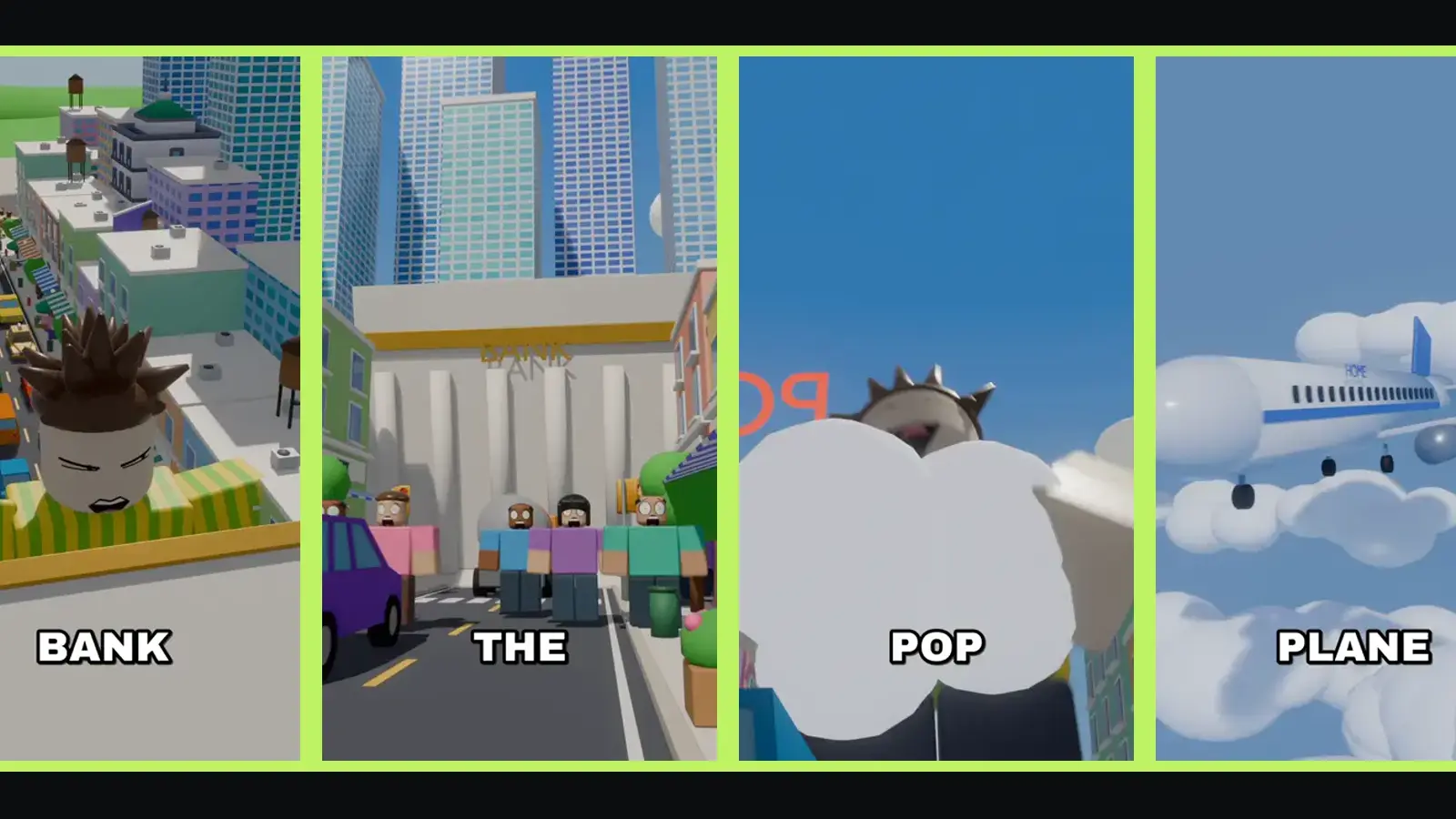
"In this town" videos are short, narrated stories set in a blocky Roblox-style town where one strange rule controls everyone's life. A single storyteller voice explains the rule, introduces the one kid who doesn't fit, and drives the story to a twist, while big captions pop word by word over fast 3D shots. This guide walks through making one from scratch: the idea, the script, the visuals, the voice and the posting.
Video tutorial · 2:01
Full tutorial: make one with Claude AI
The whole workflow, step by step, from the idea to the finished animation.
More tutorials:
What an "In this town" video is
The format is simple to describe and hard to do well:
- One rule. "In this town, every time you laugh, you grow." The rule is stated as plain fact, never "imagine if".
- One narrator. Usually a kid telling their own story in first person.
- Fast, literal pictures. Every sentence gets a shot that shows exactly what it says.
- A twist. The ending uses the rule in a way nobody saw coming, then leaves a question open.
Most of them run about a minute to a minute and a half, vertical 9:16, made for TikTok, YouTube Shorts and Instagram Reels.
Step 1: Pick a rule a kid could explain
The rule is the whole video, so spend the most time here. A strong rule has three things:
- It hangs on an everyday thing. Laughing, stairs, birthdays, homework, burping. Viewers instantly picture it.
- It has a price. Something annoying or dangerous happens when you break it.
- It can be shown. If you can't picture the shot, the video can't show it either.
Compare two rules:
In this town, people's emotions affect the economy.
In this town, every time you burp, it rains on you and only you.
The first is an essay. The second is a picture, a price and a joke in one line. If you are stuck, our list of 50 ideas is a good place to start.
Step 2: Write the hook first
The first line decides whether anyone watches the second one. The format's favourite trick is to start with the result, the craziest moment of the whole story, before explaining anything:
I just caught the whole bank with one hand.
Then, within the first two sentences, the rule:
You see, in this town, every time you laugh, you grow.
Now the viewer has a question ("how did a kid catch a bank?") and the tool to answer it (the rule). Everything after that is paying off the hook.
Step 3: Build the story in seven beats
Almost every strong "In this town" story follows the same shape:
- The rule, in one sentence.
- Life under it: two or three quick examples that are real jokes. "My teacher is so boring, our whole class is hamster-sized."
- The one kid: the narrator, who is the exception or the underdog.
- But one day: the event that breaks the routine.
- The crisis: things get worse in visible steps.
- The twist: the kid wins using the rule itself, in a clever way.
- The cliffhanger: a last line that flips the first one or opens a new problem.
We break this down line by line in our story formula guide.
Step 4: Plan one shot per sentence
This is where most attempts fall apart. The narration says "my dad laughed at one cat video, now he walks the dog from the roof", and the picture shows… a street. Viewers notice. The rule of the format is: every line is shown literally. Dad, giant, roof, dog, leash.
A practical way to plan it:
| Line | What we see |
|---|---|
| Every time you laugh, you grow. | A kid laughs and pops one size bigger. |
| That's why clowns are illegal. | A police officer leads a clown away. |
| Me? I'm the most ticklish kid in town. | Close-up of the narrator, tape over the mouth. |
Keep shots short. Cut when the narration introduces a new image. Use close-ups for reactions and wide shots for the town.
Step 5: Voice, captions and sound
- Voice: one consistent storyteller voice, a little fast. Trim the pauses between sentences.
- Captions: one or two words at a time, big, centred, with a thick outline. Many creators colour each speaker's words differently so dialogue is easy to follow.
- Sound effects: a pop when someone grows, a whoosh for wind, a gasp for the crowd. Small sounds make blocky scenes feel alive.
- Music: quiet, under the voice. Use music you have the rights to.
Step 6: Make the 3D scenes
There are two routes:
Do it yourself. Build or download a blocky town in a 3D program, rig characters, animate every shot, render, edit. It gives you full control, and it takes a lot of time and skill per video.
Use a maker. Zyvo's In This Town tool does steps 2 to 6 for you. You type the rule, read and edit the script it writes, and it voices the story, directs each shot in 3D, checks that each shot matches its line, renders the video and adds captions. A video usually takes about 30–45 minutes and costs 313 credits, refunded if it fails.
Step 7: Post it
- Title and caption: reuse the hook. "I caught a whole bank with one hand" is a better caption than "new video".
- Cover: pick the most surprising frame, not the opening.
- Series: if a town works, make part two in the same town. Viewers like coming back to a world they know.
- Read the comments: viewers often suggest the next rule themselves.
Common mistakes
- Starting with the rule instead of the result. Lead with the craziest moment.
- A rule nobody can picture. Keep it physical.
- Shots that don't match the words. The fastest way to lose a viewer.
- A soft ending. "And we all learned to be kind" is not a twist. Use the rule.
- Copying another creator's story. Use the format, write your own rules and characters.


